
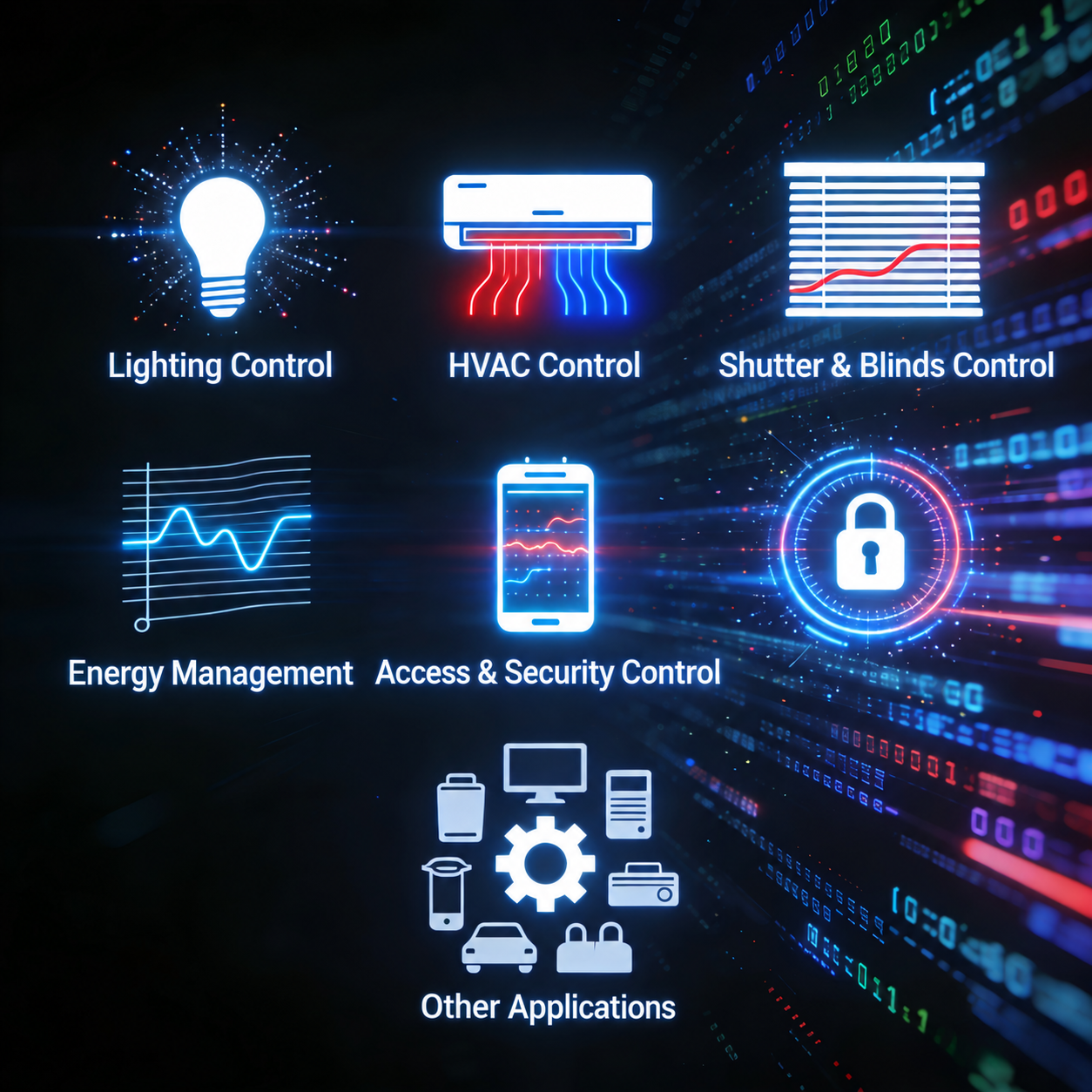
A KNX system connects lighting, heating and cooling, shading, sensors and other building functions through an open communication standard. Instead of selecting unrelated devices and hoping they work together, a project team defines how those devices should exchange information and respond to users, schedules and changing conditions.
This guide explains how KNX works, the roles of its main components, and the planning decisions behind a maintainable installation. It is written for developers, system integrators, distributors and professional project buyers evaluating residential, hospitality and commercial projects.
1. What is a KNX system, and how does it work?
KNX is a standard, not a single manufacturer’s product range. A typical wired KNX TP installation uses a twisted-pair bus to exchange control messages, called telegrams. KNX also supports other communication media; the examples below focus on TP installations, with IP or other interfaces where required.
Consider a simple lighting function:
- A guest presses a wall button, or a presence sensor detects occupancy.
- The input device sends a telegram associated with a configured group address.
- An actuator with the corresponding communication object receives the command.
- The actuator switches the connected lighting circuit. If configured and supported, status feedback can update a panel or another device.
The bus carries communication and supplies compatible TP bus devices. It does not replace the separate electrical supply needed by lighting circuits, motors or other loads.
Distributed control versus central management
KNX can distribute control functions across devices. A central server is not inherently required for every basic switching or shading function. Touchscreens, visualisation servers and supervisory systems can add interfaces, schedules, reporting or integration, but their exact role depends on the design.
This distinction matters when evaluating resilience. Functions implemented locally in the KNX devices may remain available if a visualisation server or internet connection is unavailable. Functions dependent on a failed sensor, power supply, gateway or server may not. The project should define and test these dependencies rather than promise that every function always continues.
2. Which devices does a KNX system need?
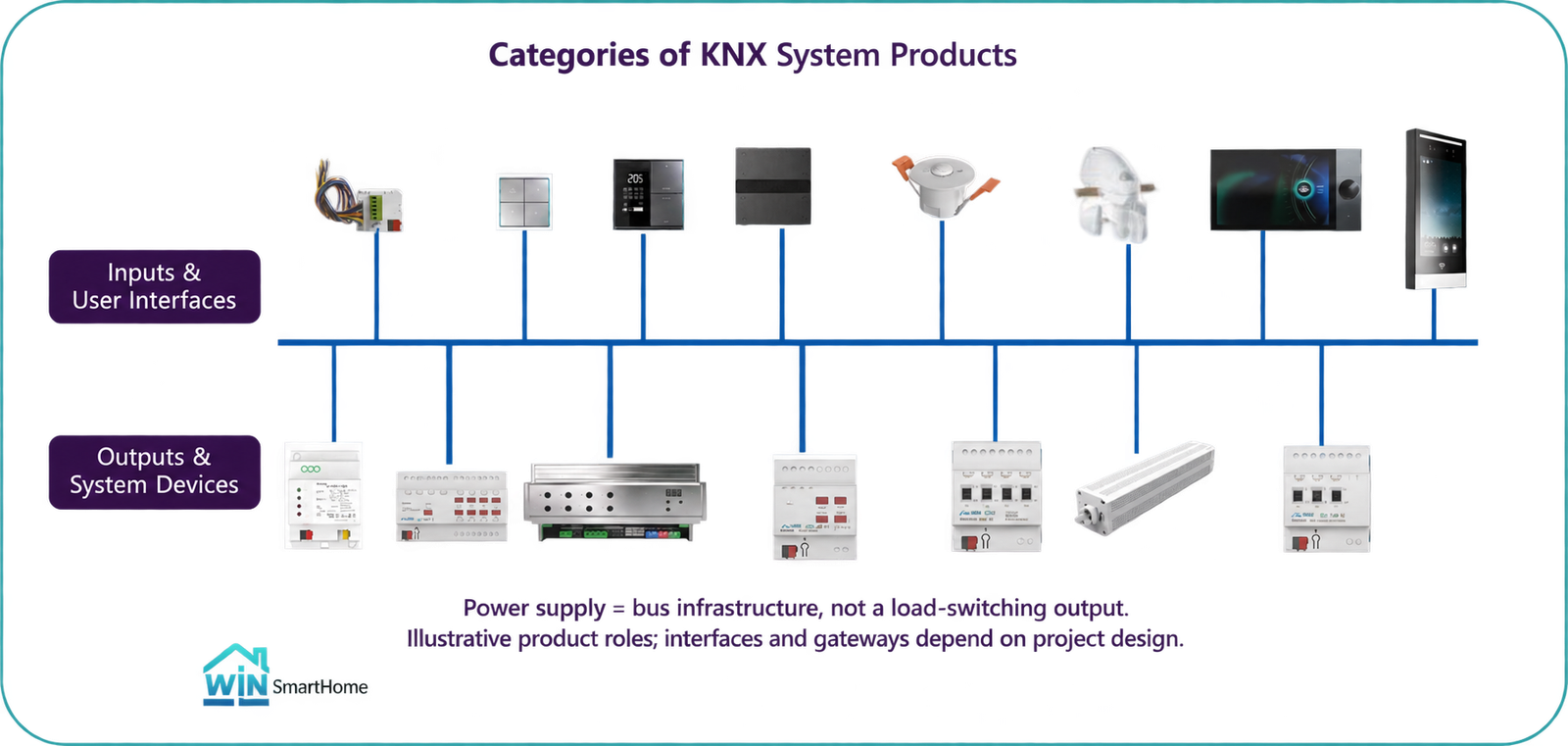
The bill of materials follows the control requirements and selected architecture. Not every project needs every device listed below, and a multifunction product may combine several roles.
| Component | Main responsibility | When needed |
|---|---|---|
| KNX TP power supply and bus infrastructure | Supply the TP bus and connect compatible bus devices | Required for a TP installation; select supply capacity and topology to suit the design |
| Input devices | Send commands or measurements from buttons, contacts, occupancy or environmental sensors | Select according to the required user inputs and automatic functions |
| Actuators and control outputs | Switch or regulate lighting, shading, valves and other compatible loads | Required where those loads need KNX control; match output characteristics to the load |
| Commissioning connection | Connect ETS to the installation through a suitable USB or IP interface, including supported router functionality | Needed during configuration and diagnostics; choose an appropriate connection method |
| Line couplers or IP routers | Connect and structure larger installations | Project-dependent; not mandatory in every small single-line installation |
| Gateways | Translate between KNX and systems such as DALI or a supported HVAC interface | Only when the project needs the corresponding integration |
| Visualisation, logic or remote-access components | Add functions not otherwise provided by the selected devices | Optional according to the functional brief and dependency requirements |
Match the control output to the real equipment
A relay output, dimming actuator, curtain actuator and KNX DALI gateway do different jobs. Check voltage, current, load characteristics, control method, protection requirements and manufacturer instructions before selection.
A KNX DALI gateway connects the building-control side to compatible DALI lighting equipment; it is not itself a substitute for an LED driver. Likewise, HVAC integration must match the actual fan-coil, valve, thermostat or air-conditioning interface being used.
Explore our KNX product portfolio for available product categories. A category list is a starting point, not a complete project BOM.
3. What does ETS do?
ETS is the engineering software used to configure KNX System Mode projects. It is not the app occupants normally use to operate a room, and it does not need to run continuously for configured device-level functions to operate.
A typical engineering workflow includes:
- Define rooms, functions and the installation structure.
- Import the correct manufacturer product data for the selected models.
- Set individual addresses and device parameters.
- Plan group addresses and link the relevant communication objects.
- Download the configuration through a suitable commissioning connection.
- Test commands, status feedback, timing, priorities and failure conditions.
- Hand over the project file, relevant credentials and agreed documentation securely.
For example, a presence sensor and a lighting output must support the intended data and behaviour. The integrator links their communication objects and configures timing, manual override and feedback as required. Merely connecting both devices to the bus does not establish the desired room logic.
Use the KNX Association’s ETS introduction for the official workflow and training resources.
4. Wiring, compatibility and installation planning
This section is a planning checklist, not a substitute for electrical design, installation instructions or local regulations. Qualified professionals should design and install the system.
Bus wiring and load wiring
Plan bus communication separately from the circuits supplying the loads. A wall button can send a command on the KNX bus while an actuator elsewhere controls the lighting circuit. Cable routing, separation, termination, protection and enclosure design must follow the applicable requirements.
Supply capacity, topology and cabinet space
Calculate the bus supply demand using the selected devices’ specifications and the proposed line structure. Check cable distances, supported topology, line or segment arrangements and interface requirements against current technical guidance. Do not assume one universal device-count limit covers every installation.
Allow cabinet space for actuators, supplies, interfaces, protective equipment, terminals, cable management and maintenance access. Consider heat dissipation and reasonable expansion provision during design rather than after procurement.
What cross-brand compatibility does—and does not—mean
The KNX ecosystem supports interoperable certified products, but certification does not make every device functionally interchangeable. Confirm:
- The exact model, application version and required ETS compatibility.
- Supported communication objects, datapoint types and parameters.
- Load interfaces, control modes, feedback and priority behaviour.
- KNX Secure support and commissioning requirements where used.
- Gateway-supported functions and the limitations of connected equipment.
A replacement may need different parameters or group-object mapping. Validate important functions before approving a substitution.
Commissioning and handover
Agree a test list covering normal use, manual overrides, occupancy timing, scene behaviour, feedback, restart recovery and relevant component or network failures. Retain an agreed version of the ETS project and a clear record of device models and changes.
Remote access also needs an explicit security design. Do not expose building-control interfaces directly to the public internet merely to make support easier.
5. How KNX components work together in different projects
The examples below illustrate possible architectures. They are not fixed packages or claims that every integration is available without model-specific checks.
| Project | Possible combination | Control and validation priorities |
|---|---|---|
| Villa | Keypads, presence and temperature inputs, lighting and curtain actuators, suitable HVAC interfaces, optional visualisation | Room scenes, local override, daylight and occupancy behaviour, accessible maintenance |
| Hotel | Room panels, contacts and occupancy inputs, an integrated RCU or separate outputs, HVAC interfaces and agreed supervisory integration | Guest comfort, DND/MUR and occupancy logic where supported, restart behaviour, mock-up validation |
| Office or commercial building | Zoned sensors and outputs, lighting gateways, scheduled control and an appropriately structured network | Zoning, manual override, daylight response, reporting requirements and phased commissioning |
For a room-level example, see the KNX room control unit and the 420-room hotel project proposal and mock-up validation approach. The case illustrates proposed room-control design and validation; it should not be read as a claim that installation of all 420 rooms has been completed.
Safety-critical systems need their own compliant design. Status monitoring or an agreed interface to another system is not the same as replacing a dedicated fire, life-safety or security system.
6. When is KNX a suitable choice?
KNX is worth evaluating when several building functions need coordinated control, professional commissioning is available, and the owner values maintainability and long-term expansion. New construction or substantial renovation can offer more practical opportunities for a wired installation.
It may be less attractive when the requirement is only a few independent devices, suitable cabling cannot reasonably be installed, or the budget and support arrangements do not cover engineering and commissioning. Retrofit does not automatically rule KNX out: RF and hybrid options may be appropriate, but require their own feasibility assessment.
Compare complete project scope rather than device prices alone. Include design, installation, configuration, integration, testing, documentation and future support. Do not assume KNX is always the cheapest option or that a particular energy-saving percentage is guaranteed.
7. KNX, DALI and Matter: define the integration boundary
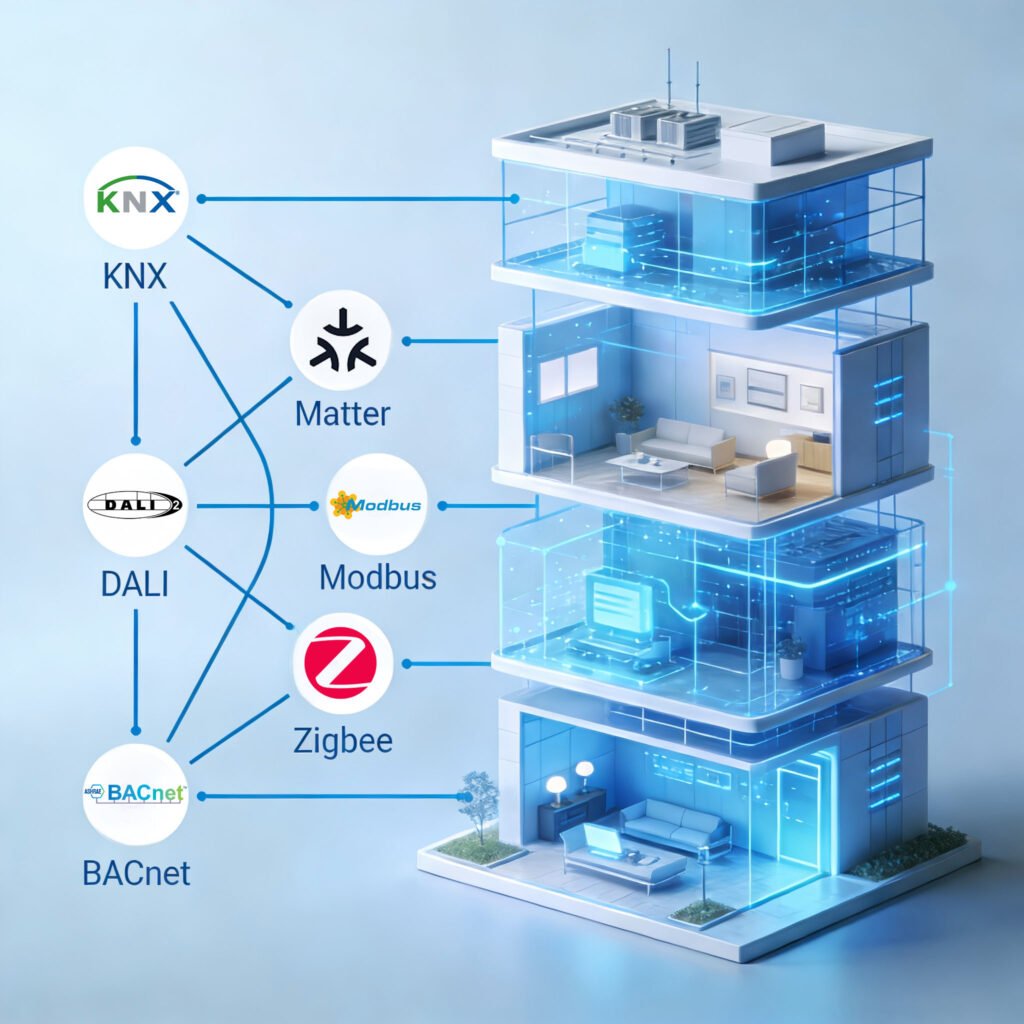
KNX can coordinate multiple building functions. DALI addresses lighting-control requirements, while Matter may provide a route to supported consumer ecosystems through suitable products or bridges.
For any hybrid proposal, establish exactly which commands and feedback cross each interface. Confirm supported device types, scenes, HVAC modes, status reporting, connection dependencies and behaviour when an interface is unavailable. A bridge does not automatically expose every function of the original system.
Keep essential project behaviour in the appropriate control layer and verify the proposed integration with the actual devices before deployment.
8. Market context and supplier selection
Market forecasts and brand lists can provide background, but they do not establish whether a particular KNX system is suitable for a project. Procurement decisions should rely on verifiable product data, application support and a defined installation scope.
Before selecting a supplier, request:
- Exact model references, technical documents and applicable certification information.
- ETS product data and explanations of required functions and limitations.
- A proposed BOM tied to the circuit and control requirements.
- Sample or mock-up testing for important integrations.
- Written responsibilities for configuration, commissioning and support.
- Model-specific confirmation of OEM/ODM scope, delivery and commercial terms.
Energy performance depends on the building, baseline, occupancy and control strategy. Any forecast should state its assumptions and verification method instead of relying on a general headline percentage.
9. How WinSmartHome supports KNX projects
WinSmartHome combines in-house product development and selected manufacturing with complementary products from partner manufacturers. We support brands, distributors, integrators and project partners with product selection, OEM/ODM feasibility discussions and technical coordination.
Our independently developed KNX portfolio includes product categories such as actuators, room-control units, gateways, panels and sensors. The development, manufacturing and supply scope should be confirmed for the specific model rather than assumed to be identical across the entire portfolio.
For a project enquiry, provide the building type, room or zone count, circuit and load schedule, required interfaces and control functions. These details make a product shortlist and BOM review more useful than a generic catalogue quotation.
Read about our business and capabilities or contact us for a KNX product shortlist and BOM discussion. Local installation and commissioning responsibilities must be agreed for each project.
10. KNX system FAQ
Does every KNX system need a central controller?
No. Basic control can be distributed across KNX devices. Additional servers or controllers may provide specific logic, visualisation or integration functions, and those dependencies should be documented.
Does KNX need the internet to operate?
Configured local functions can operate without internet access when they do not depend on an online service. Remote access, cloud features or particular integrations may require it. Test the actual design rather than treating every function as offline-capable.
Can products from different manufacturers be combined?
Yes, the certified KNX ecosystem supports cross-brand integration. Check the specific functions, product data, interfaces and configuration before selection or replacement.
Is ETS needed for everyday operation?
No. ETS is used for engineering, commissioning, diagnostics and later changes. Occupants normally use configured buttons, panels or other agreed interfaces.
Can KNX be used in an existing building?
Potentially. Review available cable routes, refurbishment scope, existing equipment and RF or hybrid options. A site-specific assessment is more reliable than a blanket yes or no.
Where should project planning start?
Start with the functions, load schedule and operating scenarios. Then select components, interfaces and commissioning responsibilities. A well-defined brief helps avoid both missing components and unnecessary equipment.